Halloween Universe

Video Theme

Prop Automation

Videos built around the prop automation theme — pulled together so you can study how others bring this atmosphere to life.

27 videos

Controlling Multiple Linear Actuators from a Single Controller
5:15
PneumaticsIntermediate

Controlling Multiple Linear Actuators from a Single Controller

This FrightProps tutorial demonstrates how to drive two linear actuators simultaneously using a single PicoBoo Plus controller, covering both extension and retraction movements. The setup requires no computer programming, making it accessible to haunters who want reliable multi-point mechanical action without coding knowledge. It offers a practical solution for adding coordinated, repeatable prop movement to haunted house scenes.

FrightProps· 60,787 views
Easily Control Linear Actuators with the Newly Improved PicoVolt!
6:25
Arduino & ControllersIntermediate

Easily Control Linear Actuators with the Newly Improved PicoVolt!

FrightProps introduces an updated version of their PicoVolt controller, designed to simplify the process of driving linear actuators for haunted house props and animatronics. The video walks viewers through how the device works and what improvements have been made over the previous iteration. It serves as both a product showcase and a practical getting-started guide for integrating linear actuators into Halloween prop builds.

FrightProps· 57,931 views
FrightProps Double-Acting Pneumatic Hookup Kit
4:51
PneumaticsBeginner

FrightProps Double-Acting Pneumatic Hookup Kit

This short FrightProps tutorial walks through their all-in-one hookup kit designed to get a double-acting pneumatic cylinder operational with minimal fuss. The kit supports multiple power input options — standard wall outlet (110VAC) or low-voltage DC supplies — making it flexible for a range of haunt setups. It covers the extend-and-retract motion control that makes double-acting cylinders ideal for push-pull animatronic gags.

FrightProps· 28,241 views
Controlling a Fog Machine with a Prop Controller or Relay
10:09
Fog & Chiller EffectsIntermediate

Controlling a Fog Machine with a Prop Controller or Relay

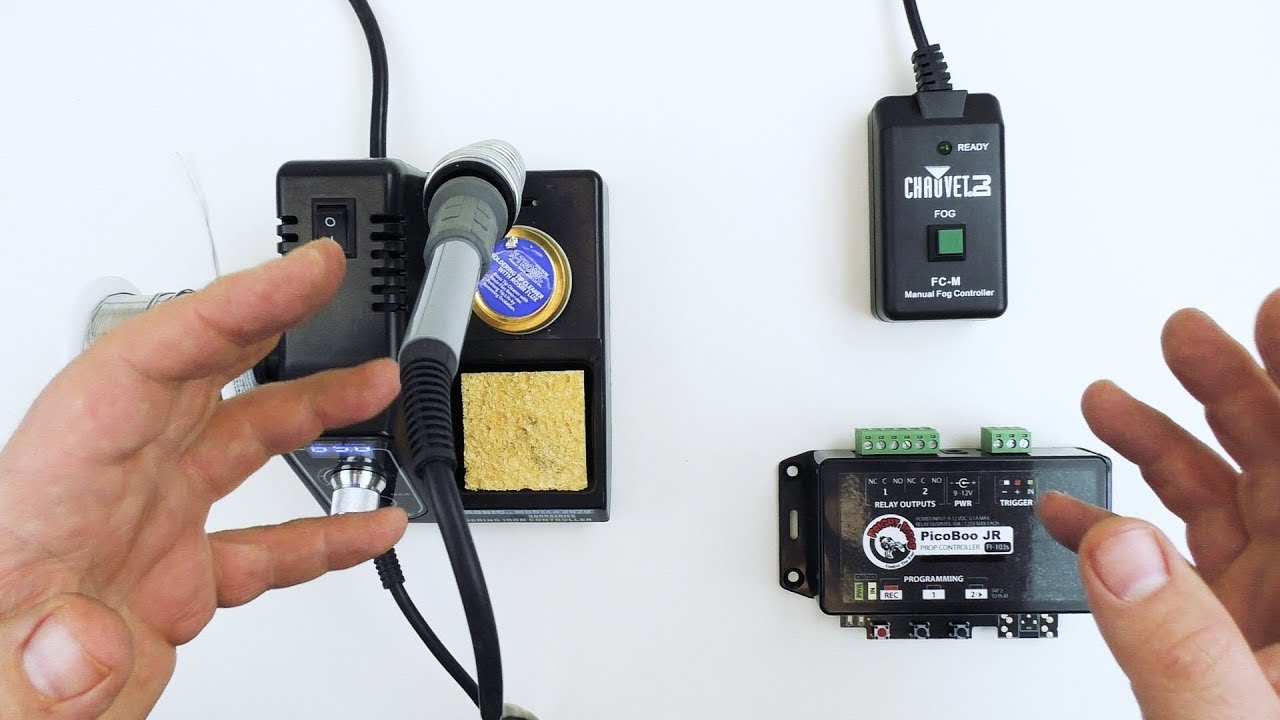
This FrightProps tutorial demonstrates how to automate an inexpensive fog machine by intercepting its wired manual remote and routing control through a relay or solid-state output on a prop controller. The technique — often called 'hacking the remote' — is presented as a practical workaround for fog machines that lack DMX capability. Both haunt-focused controllers like the PicoBoo and escape-room controllers like the EscapeKeeper are shown as compatible options. The result is timed or sensor-triggered fog activation without needing a premium DMX-enabled fog machine.

FrightProps· 27,416 views
Halloween 2019 FrightProps Ad!
0:38
Other

Halloween 2019 FrightProps Ad!

This short promotional video from FrightProps introduces the brand and its passion for Halloween technology. Rather than focusing on finished props or costumes, the company spotlights the mechanical and electronic components that bring Halloween builds to life — pneumatics, motors, controllers, and more. With over 15 years of experience in Halloween tech, FrightProps positions itself as a go-to resource for builders who want to go beyond the surface-level scare.

FrightProps· 26,706 views
PicoBoo F105 (PicoBoo AC) Overview
5:28
Arduino & Controllers

PicoBoo F105 (PicoBoo AC) Overview

This video from FrightProps provides a product overview of the PicoBoo F105, also marketed as the PicoBoo AC, a dedicated Halloween prop controller. The overview covers the unit's scene programming and audio programming capabilities, giving viewers a solid introduction to what the controller can do. It serves as a first-look guide for haunters considering this device for automating props and animatronics.

FrightProps· 22,879 views
Parking Motor and Picovolt Controller Demonstration
4:51
Arduino & ControllersIntermediate

Parking Motor and Picovolt Controller Demonstration

FrightProps' Scott walks through the updated Picovolt prop controller, highlighting two key improvements: the ability to wire in an external trigger and native support for the parking feature found in FrightProps' dedicated prop motors. The demonstration shows how these features work together to give builders precise, repeatable control over motorized Halloween props. It's a concise, product-focused look at how the Picovolt fits into a typical animatronic build.

FrightProps· 20,659 views
PicoBoo ONE - Simple Prop Controller Spotlight Video
0:41
Arduino & Controllers

PicoBoo ONE - Simple Prop Controller Spotlight Video

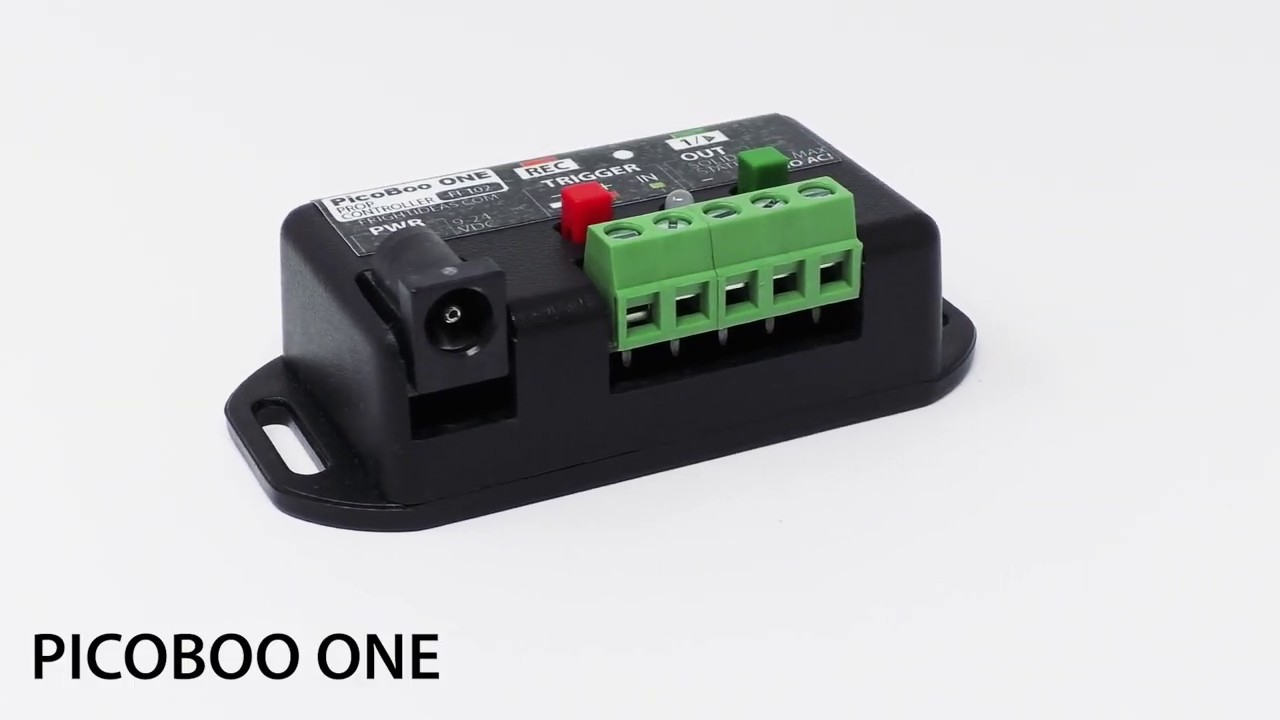
FrightProps showcases the PicoBoo ONE, an entry-level prop controller designed for simplicity. It features a single solid-state output and supports animation sequences of up to 60 seconds in length. This short spotlight video gives haunters a quick look at what the unit offers before purchase.

FrightProps· 15,142 views
LET'S BUILD - Episode 2: How to Open a Lid with a Pneumatic Cylinder!
10:34
PneumaticsIntermediate

LET'S BUILD - Episode 2: How to Open a Lid with a Pneumatic Cylinder!

Episode 2 of FrightProps' LET'S BUILD series provides a step-by-step warehouse walkthrough for assembling and deploying a pneumatic lid opener kit. The tutorial covers how to use a pneumatic cylinder to automate the opening of a lid on a prop, such as a coffin or chest. FrightProps offers tiered kits designed for different lid weights, and an air compressor is required to complete the project.

FrightProps· 13,107 views
Introduction to Rotary Cylinders
4:25
PneumaticsBeginner

Introduction to Rotary Cylinders

This short introductory video from FrightProps covers pneumatic rotary cylinders and how they can be used to rotate a prop 180 degrees quickly and reliably. It highlights the double-acting rotary actuator available through FrightProps as a practical solution for adding snappy rotational movement to Halloween animatronics. The video serves as a quick primer for builders looking to expand their pneumatic prop toolkit with rotary motion.

FrightProps· 11,942 views
My Favorite Halloween Prop Controller: The PicoBoo MP3
26:42
Arduino & ControllersIntermediate

My Favorite Halloween Prop Controller: The PicoBoo MP3

FrightProps creative director Scott walks through the PicoBoo MP3, his personal go-to Halloween prop controller, explaining what sets it apart from other options. The video highlights the device's combination of powerful feature set and straightforward usability, making it accessible for a wide range of prop builds. Several FrightProps accessories — including spotlights, a relay add-on, and a mini strobe — are demonstrated alongside the controller to show real-world integration.

FrightProps· 7,595 views
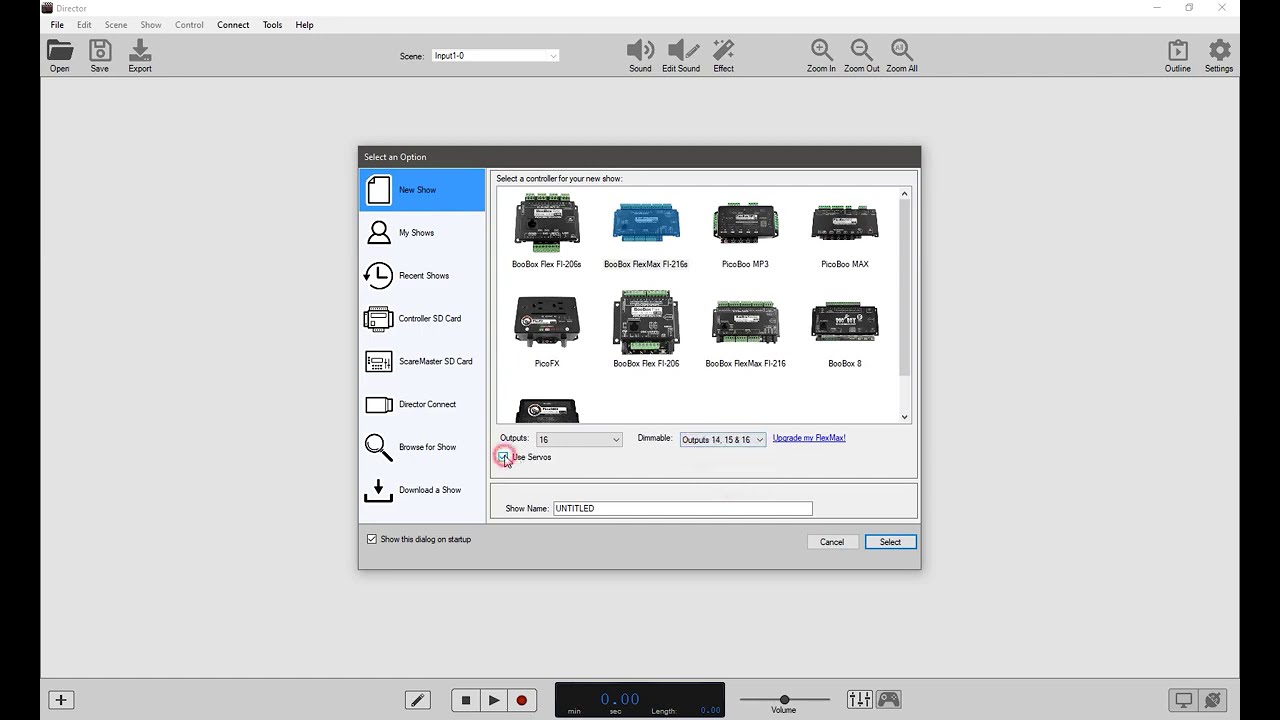
Using a PicoBoo MP3 and Director Software to Flip-Flop an Output
8:18
Arduino & ControllersIntermediate

Using a PicoBoo MP3 and Director Software to Flip-Flop an Output

This FrightProps tutorial demonstrates how to program a PicoBoo MP3 controller using the free Director software to create a flip-flop output — an effect that toggles on with the first trigger and off with the next. The demonstration uses an RFID trigger and a magnetic lock as the output device, though the underlying logic applies broadly to many haunt effects. The video walks through the software configuration step by step, making it accessible to intermediate builders familiar with basic prop controllers.

FrightProps· 7,266 views
BooBox 4 Scene Controller : Part 3: Triggers Button, Pressure Mat, Motion Sensor, light beam
6:10
Arduino & ControllersIntermediate

BooBox 4 Scene Controller : Part 3: Triggers Button, Pressure Mat, Motion Sensor, light beam

This is the third and final installment in FrightProps' BooBox 4 Scene Controller tutorial series, focusing on how to connect various trigger inputs to the controller. The video walks viewers through wiring options including button triggers, pressure/step mats, motion sensors, and light beam sensors. Each trigger type is demonstrated in the context of activating scenes for Halloween props and animatronics.

FrightProps· 6,373 views
PicoBoo JR Simple Real-Time Relay Controller
0:41
Arduino & ControllersBeginner

PicoBoo JR Simple Real-Time Relay Controller

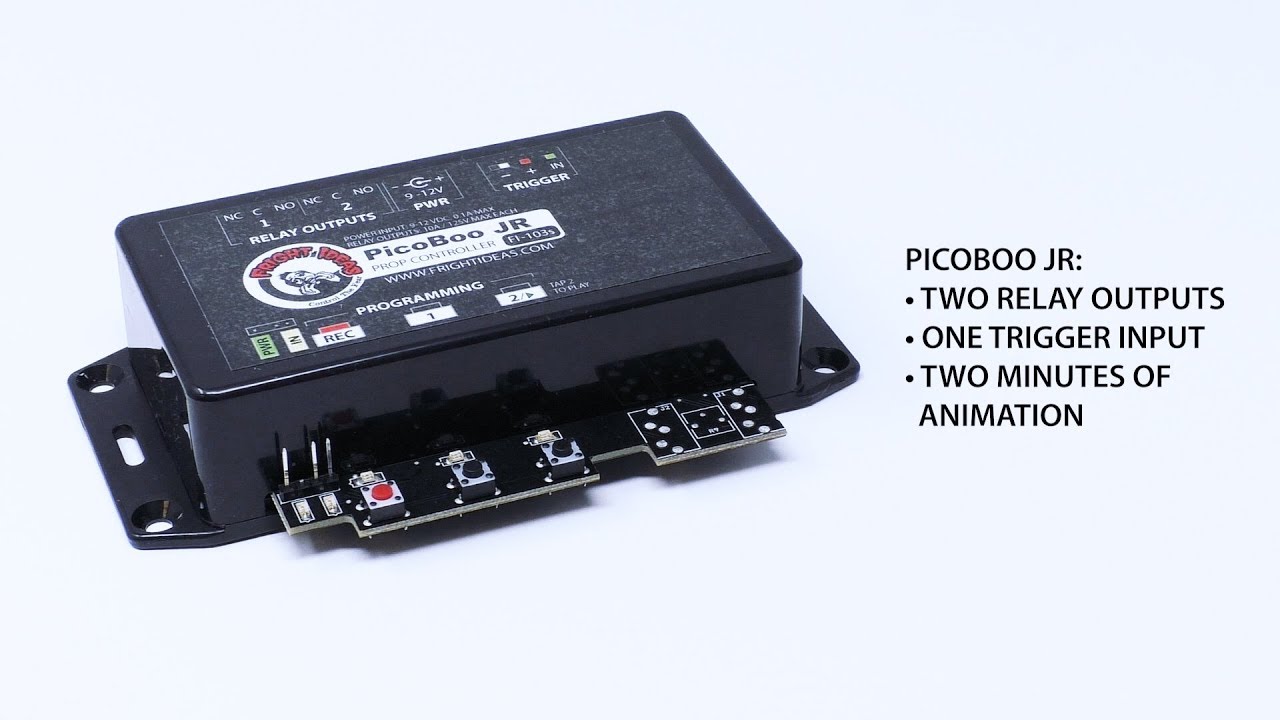
The PicoBoo JR from FrightProps is a compact, beginner-friendly prop controller designed for haunted attraction use. It requires no computer or software — animations are programmed directly on the unit by pressing buttons in real time. With two relay outputs and a trigger input, it can control power to props and respond to external activation signals.

FrightProps· 6,369 views
BooBox 4 Scene Controller : Part 2: Programming
5:51
Arduino & ControllersIntermediate

BooBox 4 Scene Controller : Part 2: Programming

Part 2 of FrightProps' three-part BooBox series walks viewers through the process of programming scenes into the BooBox 4 Scene Controller. The tutorial focuses on how to configure and store multiple scenes for triggering animatronics and Halloween props. It serves as the essential middle step between hardware setup and full deployment of the controller.

FrightProps· 6,064 views
PicoVolt LED/Motor Controller: LED Dimming/Controlling
2:06
Arduino & ControllersBeginner

PicoVolt LED/Motor Controller: LED Dimming/Controlling

This short FrightProps demo shows how a single PicoVolt controller can dim, strobe, and manage multiple LED spotlights from one unit. It covers the basic hardware setup including compatible LED spotlights and appropriate power supplies. The video is a quick-start look at the PicoVolt's lighting control capabilities for haunt and prop applications.

FrightProps· 6,028 views
Director Software Basics Tutorial
26:39
Arduino & ControllersBeginner

Director Software Basics Tutorial

This tutorial walks viewers through the foundational concepts of using FrightProps' Director Software to operate and program a prop controller. Created by Bizzaro Galore of the Test Subjects channel, the video covers core techniques applicable to haunted attractions and escape rooms alike. It serves as an accessible entry point for anyone new to haunt show-control software.

FrightProps· 5,152 views
Using AC devices with the picoBoo F103 and F104 prop controllers
2:03
Arduino & ControllersIntermediate

Using AC devices with the picoBoo F103 and F104 prop controllers

This short tutorial from FrightProps demonstrates how to connect and operate a 110v AC device using the picoBoo F103 and F104 prop controllers. A light bulb is used as a stand-in to illustrate the process, though the technique applies to any compatible AC device. The key constraint covered is the controller's maximum current rating, which limits connected devices to under 10 amps.

FrightProps· 4,790 views
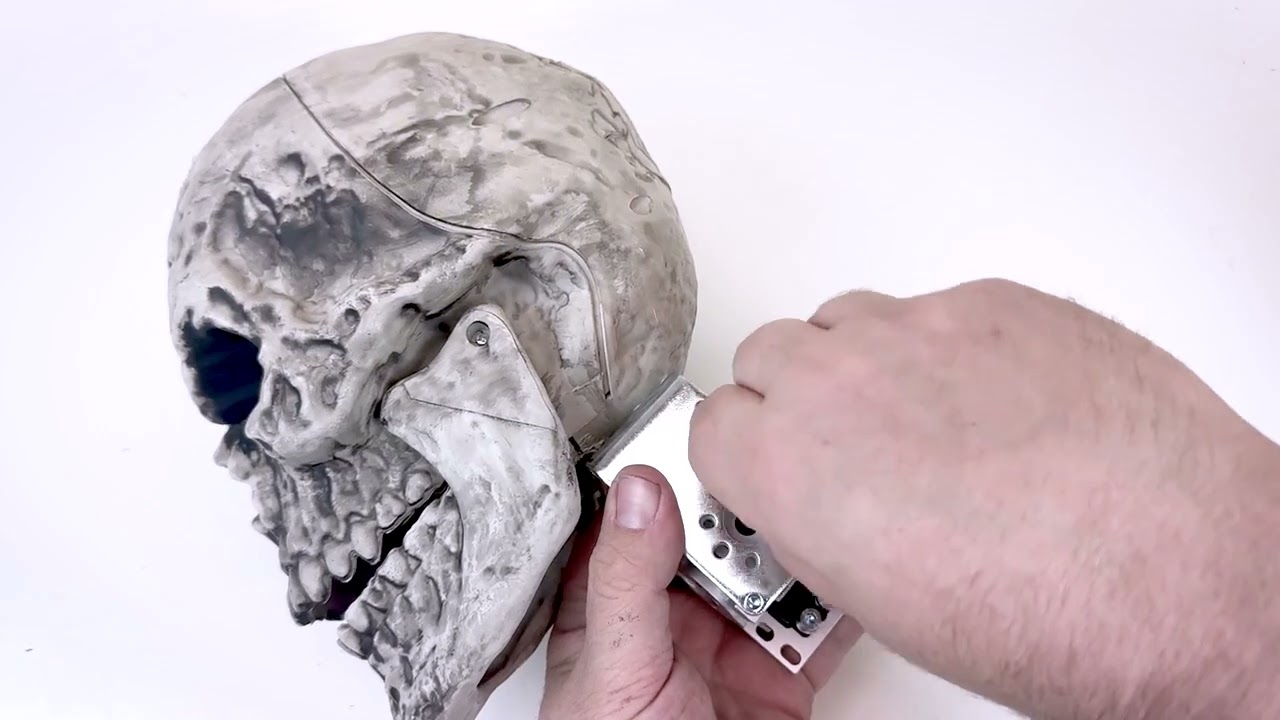
Creating a Head Turn Effect with a Servo Kit from FrightProps
19:58
DIY AnimatronicsIntermediate

Creating a Head Turn Effect with a Servo Kit from FrightProps

This FrightProps tutorial walks through the complete process of adding a motorized head-turn effect to a standard pose-and-stay plastic skeleton using their dedicated servo kit. The video covers every stage from skeleton preparation and ServoBlock assembly to physical servo installation and programming movement sequences with the PicoServo controller. It's a practical, product-specific guide that bridges hardware assembly and basic motion programming in a single session.

FrightProps· 4,248 views
Controlling 12 Volt DC Devices with a Wireless Trigger
8:34
Arduino & ControllersBeginner

Controlling 12 Volt DC Devices with a Wireless Trigger

This FrightProps tutorial demonstrates how to use a two-relay wireless remote to control 12V DC devices without any hardwired triggers. The video uses LED Nano Spot lights as a practical demonstration, but also explains how the same system can switch controller inputs, solenoid valves, 110V AC devices, and off-the-shelf retail Halloween props. It's a compact, accessible introduction to wireless automation for haunted attractions of any scale.

FrightProps· 4,028 views
How to Make a Skeleton Head Nod Up and Down with a Servo
21:16
DIY AnimatronicsIntermediate

How to Make a Skeleton Head Nod Up and Down with a Servo

FrightProps walks through converting a standard big-box retail pose-and-stay skeleton into a nodding animatronic using their Head Lift Servo Kit. The tutorial covers mounting the servo inside a ServoBlock, securing the assembly to the skull and skeleton frame, and programming the motion sequence with a PicoServo controller. It's a practical upgrade path for haunters who already own a common off-the-shelf skeleton and want to add lifelike head movement without building from scratch.

FrightProps· 2,876 views
Mega Scream Box: Speaker with Built-In MP3 Player and Trigger Input for Motion Sensor or Step Mat
7:29
Product Reviews

Mega Scream Box: Speaker with Built-In MP3 Player and Trigger Input for Motion Sensor or Step Mat

FrightProps showcases the Mega Scream Box, a high-powered speaker with a built-in MP3 player designed specifically for haunted house environments. The unit features a dedicated trigger input compatible with motion sensors, beam sensors, step mats, foot switches, and other common prop triggers. It can serve double duty as an atmospheric sound source or as a voice-saving tool for scare actors. The video walks viewers through the product's key features and intended use cases.

FrightProps· 2,111 views
EscapeKeeper Setup - Adding sound
5:20
Arduino & ControllersIntermediate

EscapeKeeper Setup - Adding sound

This short tutorial from FrightProps walks through the process of adding sound functionality to the EscapeKeeper escape room controller system. The video demonstrates how to configure the sound component as part of the broader EscapeKeeper setup workflow. It is part of a series of setup guides supporting FrightProps' escape room controller product line.

FrightProps· 1,813 views
Motorized Left and Right Turner Mech
0:31
Prop Reviews

Motorized Left and Right Turner Mech

FrightProps showcases their motorized left-right turner mechanism, a ready-made solution for adding slow, oscillating side-to-side movement to Halloween props or displays. The compact mech appears designed to integrate easily with existing props to bring them to life. At just one minute, the video serves primarily as a product demonstration.

FrightProps· 1,683 views